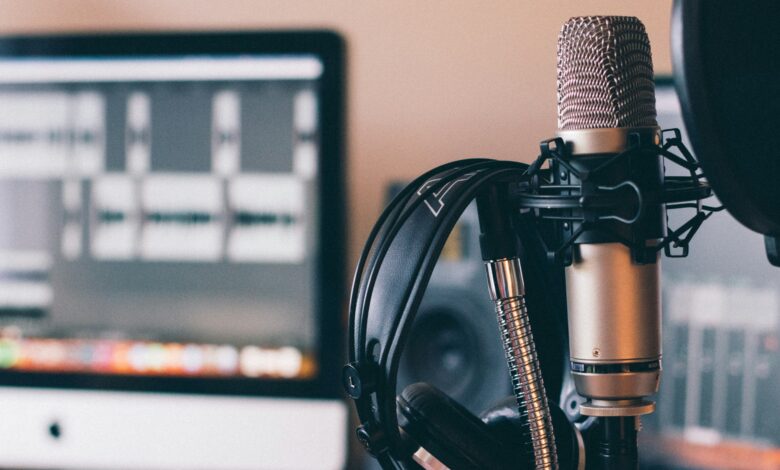
Creating a professional visual podcast studio has become the definitive benchmark for digital creators looking to dominate the modern media landscape. In the early days of broadcasting, a simple microphone and a quiet room were enough to launch a successful show. However, the massive shift toward platforms like YouTube and TikTok has made the “visual” element just as important as the audio quality. A pro-level studio serves as your digital stage, helping you build instant authority and trust with a global audience. When viewers see a high-quality set with cinematic lighting and crisp video, they are much more likely to stay engaged for the long haul.
Building this environment requires a strategic blend of interior design, acoustic engineering, and high-end technical integration. It is not just about buying the most expensive cameras; it is about creating a space that reflects your brand’s unique personality and professional standards. This guide will walk you through every essential layer of building a studio that looks as good as it sounds, ensuring your content stands out in a crowded digital world.
Designing the Perfect Studio Layout

The first step in building a professional studio is choosing the right physical space and planning the layout. You need a room that is large enough for your equipment but small enough to control the acoustics easily.
A rectangular room is generally better than a square one because it helps reduce sound reflections and “echo” issues. Think about the “background” of your shot as the most important piece of furniture in the room.
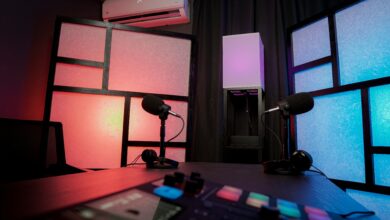
Your background should tell a story about who you are and what your podcast is all about. Whether you choose a minimalist shelf or a vibrant neon sign, consistency is the key to building brand recognition.
Make sure there is enough distance between the host and the background to create a “depth of field” effect. This blurriness in the background makes the host pop on the screen, giving the video a professional cinematic look.
Always leave enough room for cables to be tucked away neatly to avoid a cluttered and unprofessional appearance.
Acoustic Treatment and Soundproofing
A pro studio must sound like a professional recording booth, regardless of what the video looks like. The biggest enemy of a good podcast is “reverb,” which happens when your voice bounces off hard walls and ceilings.
Acoustic panels are the standard solution for absorbing these reflections and making your voice sound rich and intimate.
A. Bass Traps for Corner Low-Frequency Absorption.
B. Ceiling Clouds to Reduce Vertical Sound Reflections.
C. Diffuser Panels for Breaking Up Hard Sound Waves.
D. Fabric-Wrapped Foam Panels for Mid-Range Control.
E. Heavy Soundproof Curtains for Blocking Window Noise.
Soundproofing is different from acoustic treatment; it is about keeping outside noises from entering your studio. You can use weatherstripping on doors and thick rugs on the floor to dampen the sounds of the outside world.
A quiet room allows you to use more sensitive microphones, which capture the true detail and emotion of your voice.
Selecting Professional Video Gear
When it comes to cameras, most professional visual podcasts use mirrorless cameras for their superior image quality. These cameras allow you to swap lenses, giving you total control over how much of the room is in the shot.
A 35mm or 50mm lens is often the “sweet spot” for achieving that beautiful, blurry background. Using multiple cameras is the best way to keep your video engaging during long-form conversations.
A typical setup includes a wide shot of the whole set and individual “tight” shots for each person speaking. This allows you to cut between different angles during editing, which helps maintain the viewer’s attention.
The camera’s “autofocus” capability is vital, especially if you move around or lean forward while talking. Look for cameras with “eye-tracking” features to ensure your face stays perfectly sharp at all times.
Investing in a good camera is a long-term move that pays off in every frame of your content.
The Art of Cinematic Studio Lighting
Lighting is the “secret sauce” that separates a bedroom setup from a professional television-grade studio. Even the most expensive camera will look terrible if the room is lit with cheap overhead office lights.
The “Three-Point Lighting” system is the foundational technique used by almost every professional creator.
A. Key Light as the Primary Source on the Subject.
B. Fill Light for Softening Harsh Shadows on the Face.
C. Backlight for Separating the Subject from the Background.
D. Practical Lights like Lamps or Neon for Visual Texture.
E. RGB Strip Lighting for Adding Brand-Specific Colors.
Softboxes are essential for making the light look “natural” and avoiding hard lines on the host’s skin. You can also use “gels” or smart bulbs to add a splash of color to the walls behind you.
Lighting should be consistent every time you record so that your episodes always have the same professional look.
High-Fidelity Audio Equipment
The microphone is the heart of your podcast, and for visual shows, dynamic microphones are usually the best choice. Dynamic mics are great at ignoring background noise and focusing only on the person speaking directly into them.
This is important if your studio isn’t perfectly soundproofed or if you have a noisy computer fan nearby. Microphone placement is just as important as the quality of the mic itself.
Keep the mic about four to six inches from your mouth to get that “radio” sound without the distorted popping. Using a boom arm allows you to position the mic perfectly while keeping your desk clear for notes or a laptop.
An audio interface or a digital mixer is needed to connect your professional microphones to your computer. These devices allow you to adjust the “gain” and add effects like compression in real-time.
High-quality audio is the foundation that allows your audience to listen for hours without getting “ear fatigue.”
Essential Studio Technical Capabilities
A. 4K Video Recording and Real-Time Streaming Support.
B. Integrated Multi-Channel Audio Recording and Mixing.
C. Low-Latency Monitoring for Hosts and Guests.
D. Remote Guest Integration via High-Definition Software.
E. Seamless Syncing Between Video and Audio Tracks.
F. UPS Battery Backup for Preventing Data Loss During Outages.
Managing Cables and Studio Organization
Nothing ruins the look of a beautiful set faster than a “nest” of messy cables hanging everywhere. Cable management is a boring but necessary part of building an elite visual podcast environment.
Use cable sleeves and ties to group your wires together and hide them behind desk legs or under the floor. XLR cables for microphones and HDMI cables for cameras should be of high quality to avoid signal interference.
Labeling both ends of every cable will save you hours of frustration when you need to move or fix something later. A clean studio isn’t just for the video; it also creates a clear and focused mind for the host.
Think about the placement of your “tech hub” or computer where all the signals are being recorded. It should be close enough to access but far enough away that the fan noise doesn’t bleed into your microphones.
Organization is the hallmark of a professional who values their time and their equipment.
Furniture and Set Decor
The furniture you choose for your studio affects both the comfort of the host and the style of the show. Comfortable, ergonomic chairs are a must for long recording sessions that might last several hours.
However, the chairs must also look good on camera and not squeak every time you move a little bit. A sturdy desk or table is needed to hold your microphones, mixers, and perhaps a coffee mug or two.
Many creators choose a “mid-century modern” or “industrial” style to give their studio a trendy and expensive feel. Adding plants, books, or personal items to the set makes the space feel more “lived-in” and authentic to the viewers.
Set decor should be “matt” or non-reflective to avoid creating distracting glares from your studio lights. Avoid wearing small patterns or stripes on your clothing, as these can cause “moire” patterns on the video.
Every item on your set should be there for a reason, contributing to the overall visual harmony of the show.
Software for Recording and Production
Once your hardware is set up, you need the right software to capture the magic of your conversation. For visual podcasts, you need a program that can record multiple video feeds at the highest possible resolution.
Many pros use “local recording” software that saves the video directly to the camera’s SD card for maximum quality. If you are recording with remote guests, use specialized platforms designed for high-definition video calls.
These tools record the guest’s video on their own computer and then upload it, avoiding “lag” or “blurriness.” The goal is to make a remote interview look and sound like everyone is sitting in the same professional room.
Video editing software is where you bring all the pieces together, adding your intro, music, and lower-third graphics.
Look for software that supports “multi-cam” editing to make switching between angles fast and intuitive. The software is the final bridge between your physical studio and the digital screen of your audience.
Key Metrics for Studio Success
A. Audience Engagement and Retention Rates for Video.
B. Clarity and Consistency of Audio Levels Across Episodes.
C. Overall Production Value and Visual Brand Cohesion.
D. Reliability of Equipment During Live or Long Sessions.
E. Speed and Efficiency of the Post-Production Workflow.
F. Visual Sharpness and Color Accuracy of the Video Feed.
Preparing for Guest Comfort
If you plan on having guests in your studio, you need to make the environment welcoming and professional for them. Provide a “green room” or a small area where they can relax and prepare before the cameras start rolling.
Offer water, snacks, and a mirror so they can check their appearance one last time before the show begins. Make sure your guest has their own dedicated microphone and headphones so they can hear themselves clearly.
The “mix-minus” setup is important to ensure they don’t hear a distracting echo of their own voice in their ears. When a guest feels comfortable and respected, they are much more likely to give a great and engaging interview.
A professional studio experience makes guests want to come back and recommend your show to their own networks. It builds your reputation as a top-tier creator who takes their craft seriously and values their collaborators.
The hospitality part of podcasting is just as important as the technical part for long-term growth and success.
Future-Proofing Your Visual Studio
Technology is always changing, so it is important to build a studio that can grow and adapt over time. Choose equipment that uses “industry-standard” connections like XLR and HDMI so you can upgrade pieces easily.
Avoid “all-in-one” gadgets that are hard to fix or replace if one small part breaks down. Investing in 4K-capable cameras and fast internet ensures that you are ready for the next level of streaming.
As AI tools for video and audio continue to improve, make sure your computer has the power to run them. Stay curious about new trends in lighting and set design to keep your show looking fresh and modern.
The best studio is the one that you actually enjoy spending time in every single day. Don’t be afraid to change things around and experiment with new layouts until you find what works for you.
Innovation is a journey, and your studio is the workshop where your best ideas come to life.
Best Practices for Studio Maintenance
A. Calibrating Camera Colors and Focus Regularly.
B. Cleaning Lenses and Sensitive Equipment After Every Use.
C. Keeping Spare Cables and Batteries on Hand at All Times.
D. Performing Routine Tests of Audio and Video Signals.
E. Updating Software and Firmware for All Technical Gear.
F. Verifying the Integrity of Backups and Storage Drives.
Scaling from a Home Setup to a Pro Studio
Many creators start in a bedroom and slowly move to a dedicated studio space as their audience grows. The key to scaling is to focus on “one upgrade at a time” rather than trying to buy everything at once.
Start with a great microphone, then move to better lighting, and finally invest in high-end cameras. A pro studio doesn’t have to cost a fortune if you are smart about where you spend your money.
Second-hand equipment from trusted sellers is a great way to get “pro” gear at a “hobbyist” price point. The most important thing is that the quality of your content justifies the investment in the space.
As you scale, you might want to hire an engineer or a producer to handle the technical side of the show. This allows you to focus entirely on being a great host and connecting with your audience on a deep level.
A professional studio is a tool that helps you reach your full potential as a creator and a business owner.
Conclusion

Building a professional visual podcast studio is a vital investment for any serious digital media creator today. The visual presentation of your show is the primary factor in how a global audience perceives your brand’s authority. Success requires a careful balance between high-end video gear, cinematic lighting, and perfect acoustic treatment of the space. Your studio layout should prioritize the host’s comfort while creating a visually interesting background for the camera. Microphones remain the most important technical element for ensuring your message is heard clearly and professionally.
Cinematic lighting techniques like the three-point system are what separate an amateur setup from an elite television-grade set. Cable management and studio organization are small details that make a massive difference in the overall production quality. A professional environment also ensures that your guests feel comfortable and valued during their time on your show. As technology continues to advance, your studio should be flexible enough to adapt to new tools and higher standards. Ultimately, your studio is a physical reflection of your commitment to excellence and your passion for your craft.